Policy configuration
Add a new policy
- Choose "Settings" from the navigation bar.
- Choose "Policies" tab and click "Create new" button.
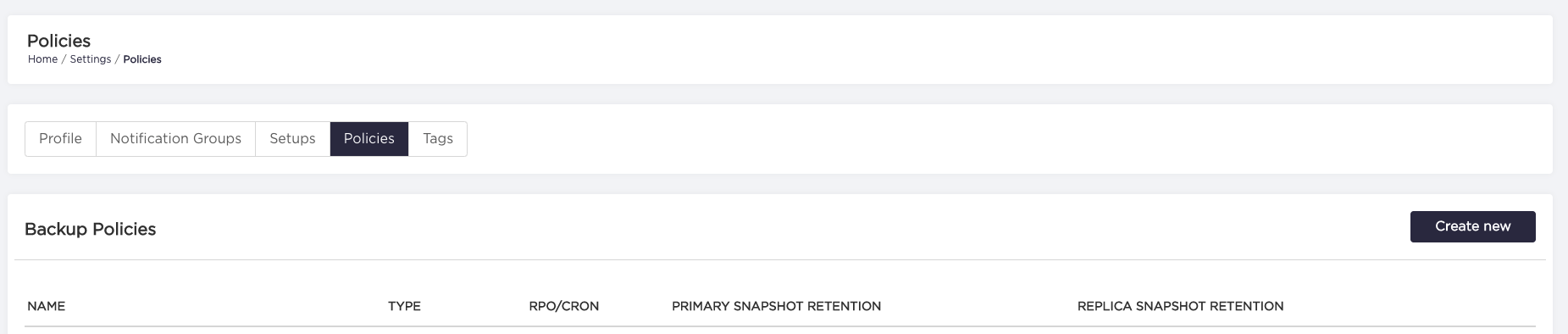
- Enter all required fields to the policy form.
RPO type policy:
| Property | Required | Description |
|---|---|---|
| Policy name | yes | Custom name of the policy. |
| Remove primary snapshots after resource deletion | no | Removes primary snapshots after the resource is deleted from AutoBackup. Can be set/visible if the Primary snapshot condition has been set to DAYS. |
| Remove replica snapshots after resource deletion | no | Removes replica snapshots after the resource is deleted from AutoBackup. Can be set/visible if the Replica snapshot condition has been set to DAYS. |
| Snapshot frequency* | yes | Recovery Point Objective expressed in hours/days/weeks/months. It specifies how often the backups should be performed. |
| Primary snapshot condition | yes | Determines if primary snapshots should be removed after the specified number of days, or if the system should retain only the specified number of the newest snapshots. |
| Primary snapshot threshold | yes | How many OR For how long the replica snapshots are retained. |
| Replica snapshot condition | yes | Determines if replica snapshots should be removed after the specified number of days, or if the system should retain only the specified number of the newest snapshots. |
| Replica snapshot threshold | yes | How many OR For how long the replica snapshots are retained. |
*Please note that Azure does not allow creating manual snapshots with arbitrary frequency. At most 1 snapshot can be taken per 12 hours. Therefore, RPO for Azure resources can't be less than 13h, since AutoBackup schedules backup events for RPO - 1h (only for RPO type policy).
Time aware type policy:
| Property | Required | Description |
|---|---|---|
| Policy name | yes | Custom name of the policy. |
| Remove primary snapshots after resource deletion | no | Removes primary snapshots after the resource is deleted from AutoBackup. Can be set/visible if the Primary snapshot condition has been set to DAYS. |
| Remove replica snapshots after resource deletion | no | Removes replica snapshots after the resource is deleted from AutoBackup. Can be set/visible if the Replica snapshot condition has been set to DAYS. |
| Cron expression | yes | The cron expression specifies at what intervals the backup should be performed. |
| Backup time window duration in hours | yes | The time window where back up will be taken. Range 1-24 hours. |
| Start date | no | The start date specifies when the first backup will begin. |
| Primary snapshot condition | yes | Determines if primary snapshots should be removed after the specified number of days, or if the system should retain only the specified number of the newest snapshots. |
| Primary snapshot threshold | yes | How many OR For how long the replica snapshots are retained. |
| Replica snapshot condition | yes | Determines if replica snapshots should be removed after the specified number of days, or if the system should retain only the specified number of the newest snapshots. |
| Replica snapshot threshold | yes | How many OR For how long the replica snapshots are retained. |
For Azure SAP HANA retention will not be kept according to the attached policy (AutoBackup triggers snapshots manually to keep the RPO but the default retention for on-demand backup is 45 days - Azure documentation)
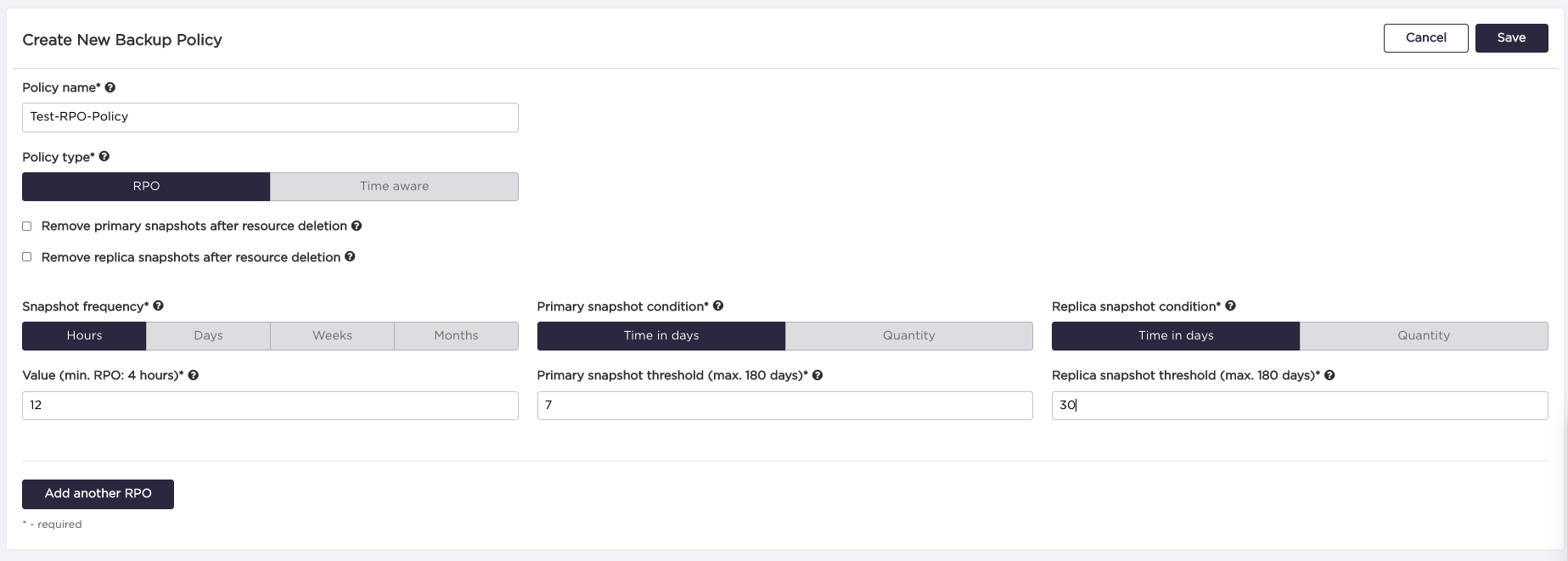
4a. In RPO type policy, the user can define different snapshot frequencies and retention schemes for them, in the scope of a single policy by clicking 'Add another RPO' button.
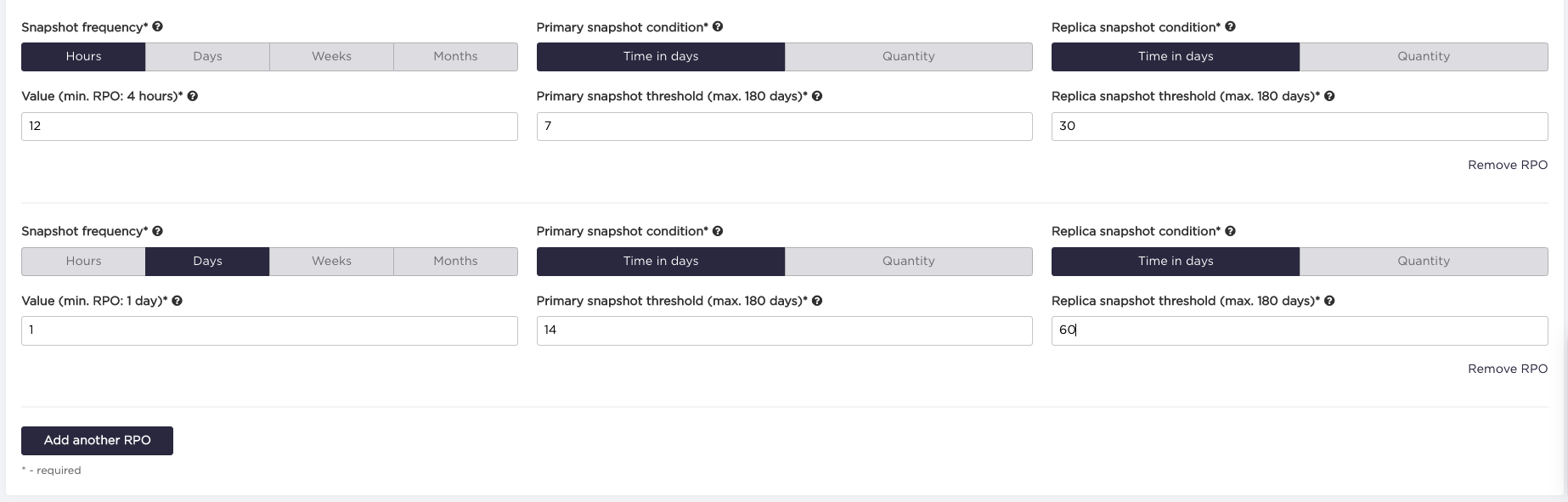
Please keep in mind, that all the RPO's within a single policy must be a multiple of the lowest defined RPO.
Available frequencies:
hours = 1 hour,
days = 24 hours,
weeks = 7 days = 168 hours,
months = 30 days = 720 hours.
Valid retention scheme examples:
4 hours, 2 days (48 hours), 2 weeks (336 hours)
2 days (48 hours), 2 weeks (336 hours)
2 days (48 hours), 3 months (2160 hours)
Invalid retention scheme examples (invalid values are highlighted):
2 days (48 hours),
1 week (168 hours), 1 month (720 hours) - because 168 hours / 48 hours = 3.57 days (168 hours),
2 months (2160 hours)- because 2160 hours / 168 hours = 12.85
4b. In Time aware policy type, the user can define a cron expression that will be used to generate future events,
and the duration of the backup event (after this time backup event will be terminated - if the snapshot action is not in progress,
it will not be executed).
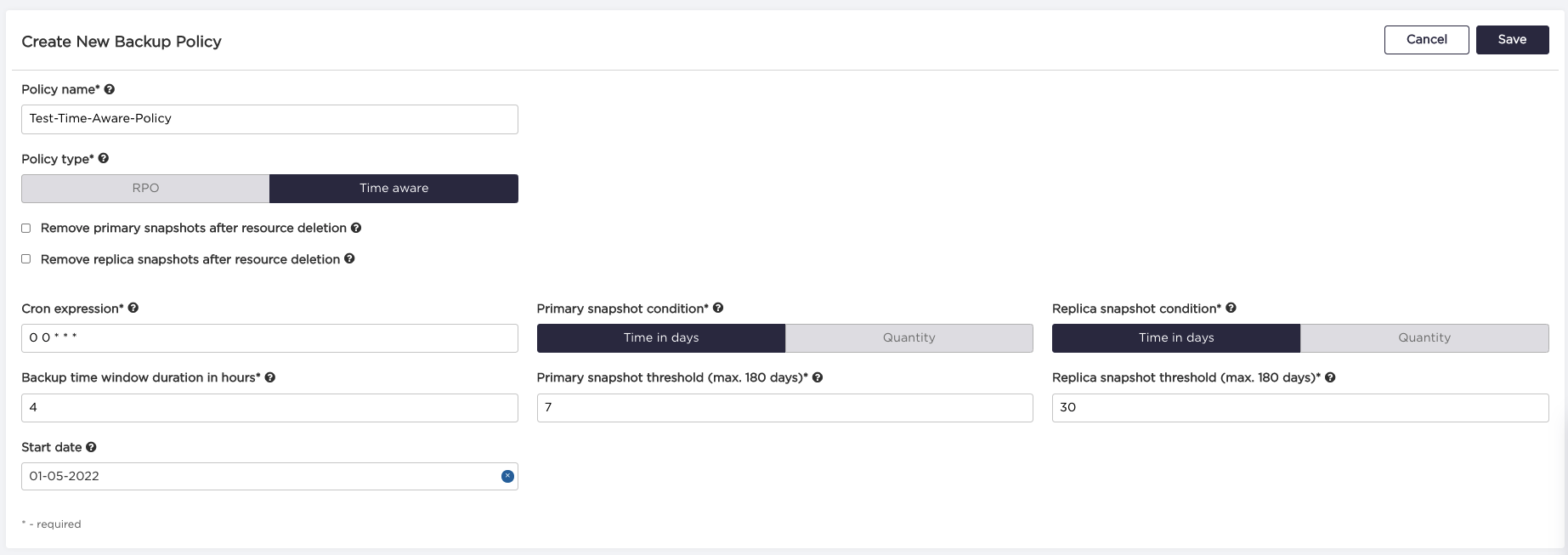
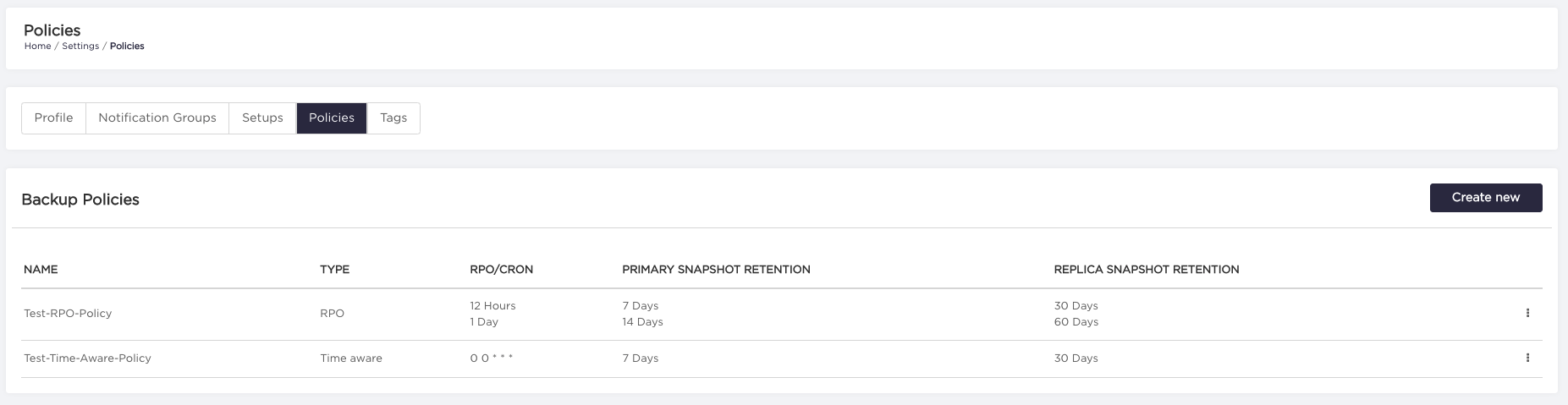
- After filling all the required fields and clicking 'Save', the new policy should be visible on policies list.
Delete the policy
- Choose "Settings" from the navigation bar.
- Choose "Policies" tab.
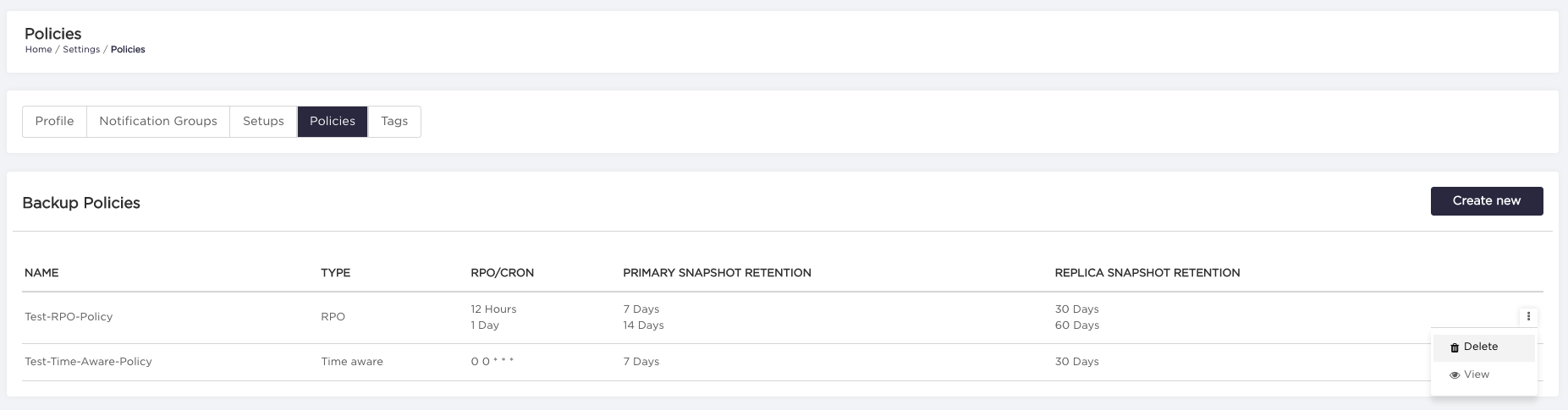
- Click on "three dots" on the right side of the policy you want to delete, and select "Delete" option. The policy won't be removed if it is currently assigned to any resource.
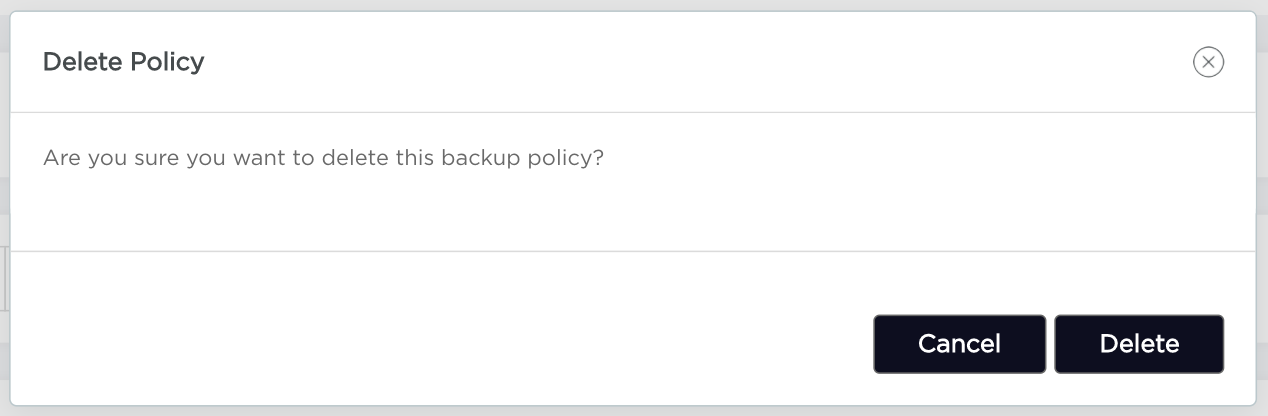
- Click on "Delete" button on the confirmation window.
- The policy should disappear from the policies list. If an error occurred then make sure that the policy is not assigned to the resources (detach policy from resource (see operations page) or change resources' tags for tag-based backup).
Transition from RPO policy to Time Aware policy
Please keep in mind, that all future events for the resource will be removed and AutoBackup will create new ones according to the provided CRON from the policy.
- Create a new Time Aware policy (follow guide)
- Replace policy attached to the resources:
Note: All previously taken snapshots will be removed based on a retention from the new policy.