IntroductionDashboard overviewBasic flowFirewall settingsManaging API keysManaging users
Usage
Operations on resourcesEnable backupDisable backupChange policy and setupTrigger backupAzure Native VMsSnapshotRestoreAPIDisaster RecoveryFollowing operations on resources will be disabled if tag-based backup has been enabled:
- enabling/disabling backup,
- changing policy and setup.
Enable backup
- Choose "Resources" from the navigation bar.
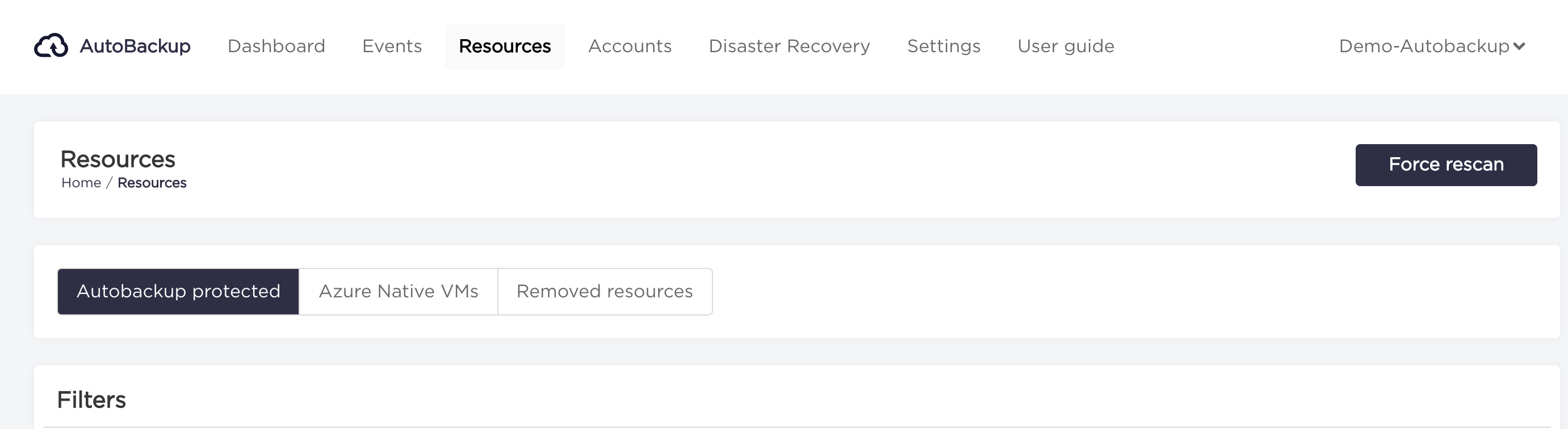
- Select resources for which you want to enable backup from "Resources List" by checking the checkbox square on the left side of the resource.
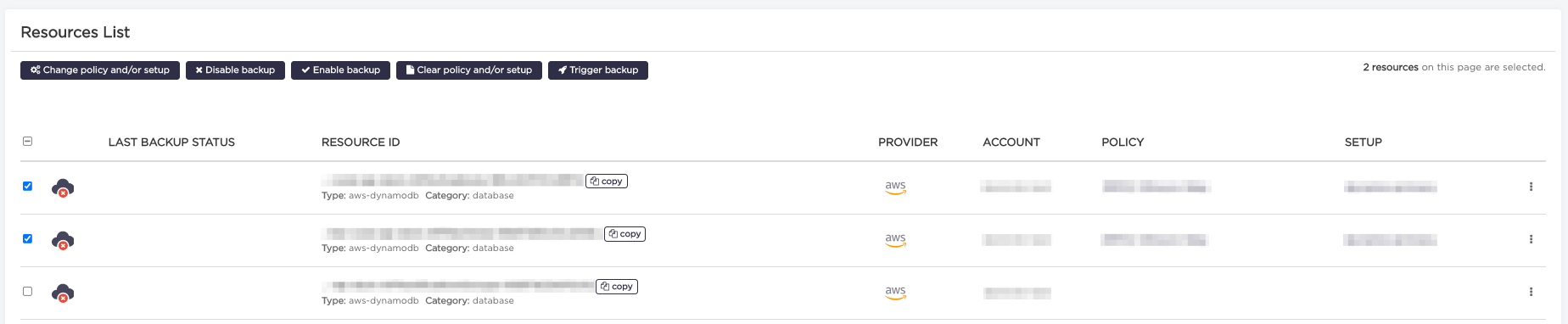
- Click "Enable backup" button under "Resources List" title.
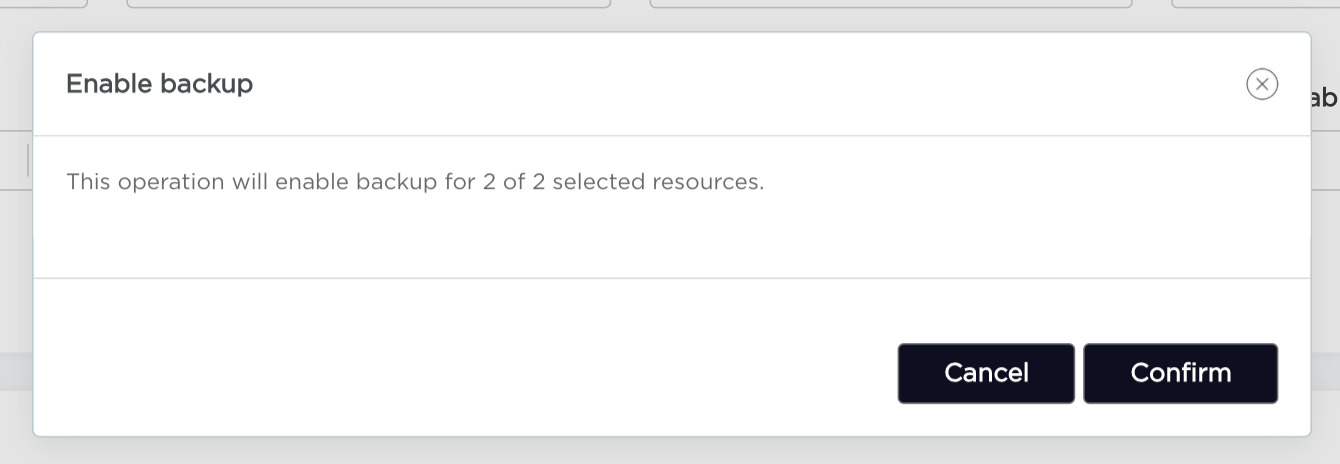
- Click "Confirm" button. Remember that backup will be enabled only for resources that have added a "Setup" and "Policy".
Disable backup
- Choose "Resources" from the navigation bar.
- Select resources for which you want to disable backup from "Resources List" by checking the checkbox square on the left side of the resource.
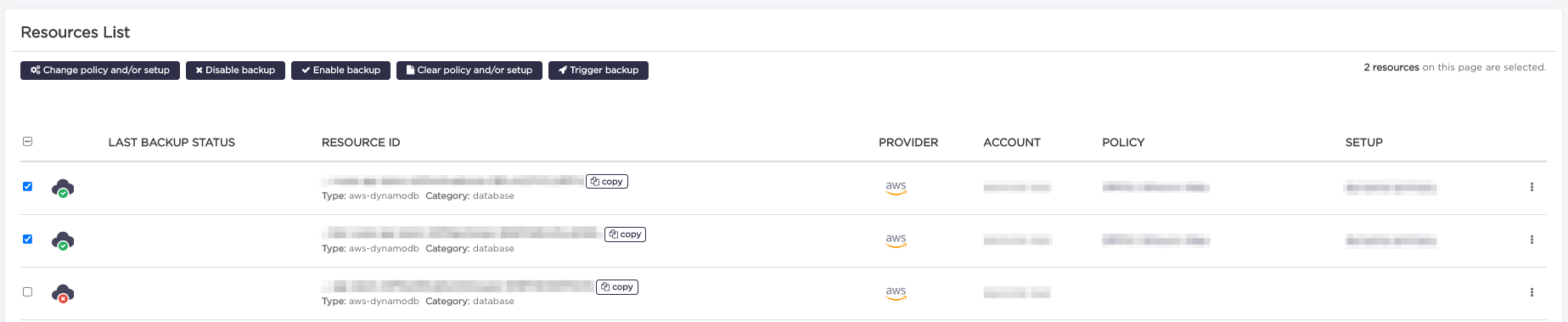
- Click "Disable backup" button under "Resources List" title.
- Click "Confirm" button. Remember that backup will be disabled only for resources that have backup enabled.
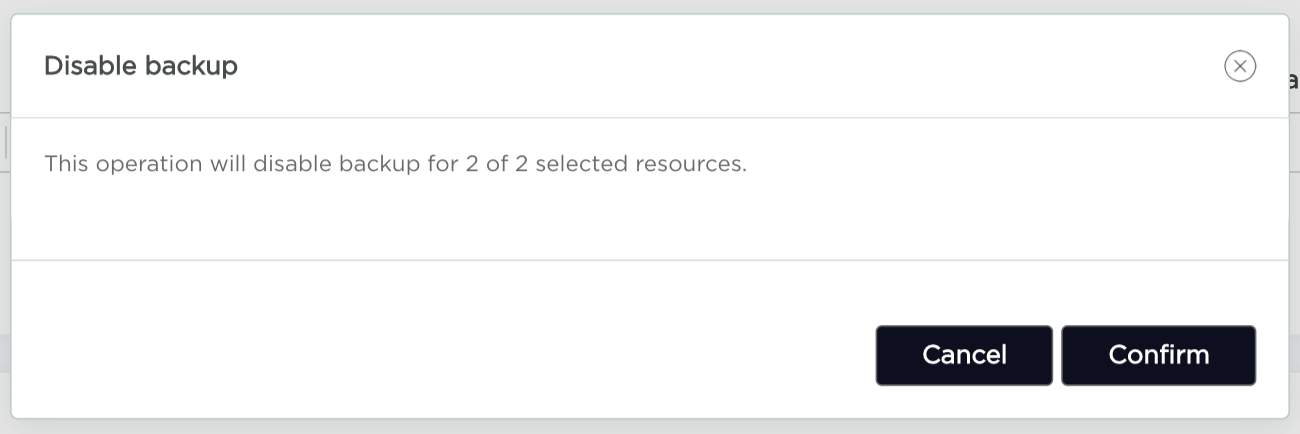
Change policy and setup
- Choose "Resources" from the navigation bar.
- Select resources for which you want to change policy or setup from "Resources List" by checking the checkbox square on the left side of the resource.
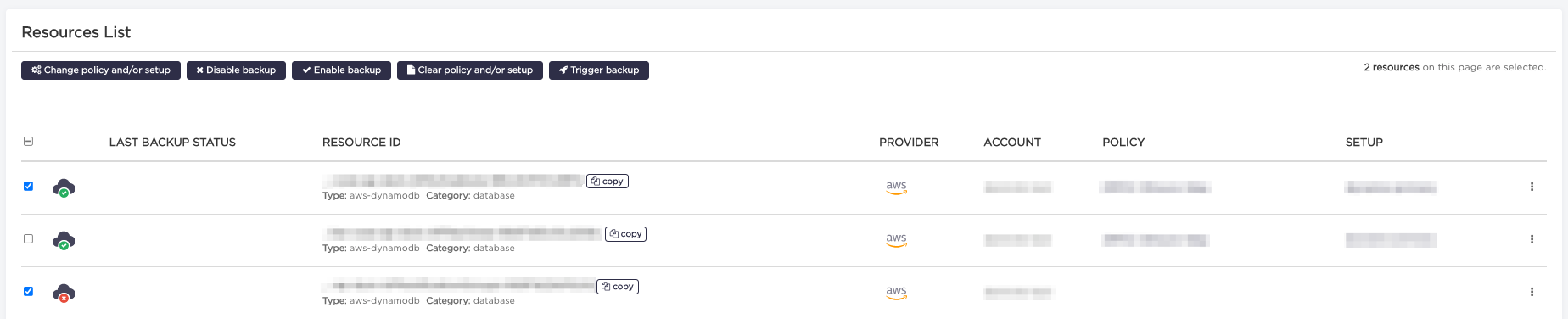
- Click "Change policy and/or setup" button under the "Resources List" title.
- Select policy and/or setup(s) you want to change and click "Continue" button.
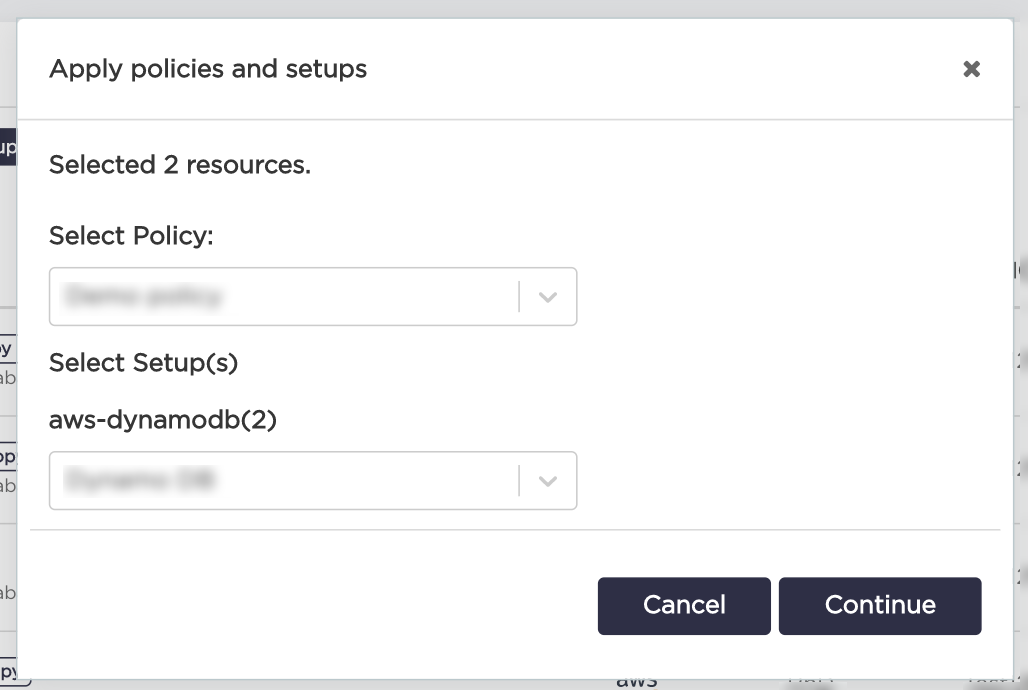
- Apply policies and setups by clicking "Confirm" button.
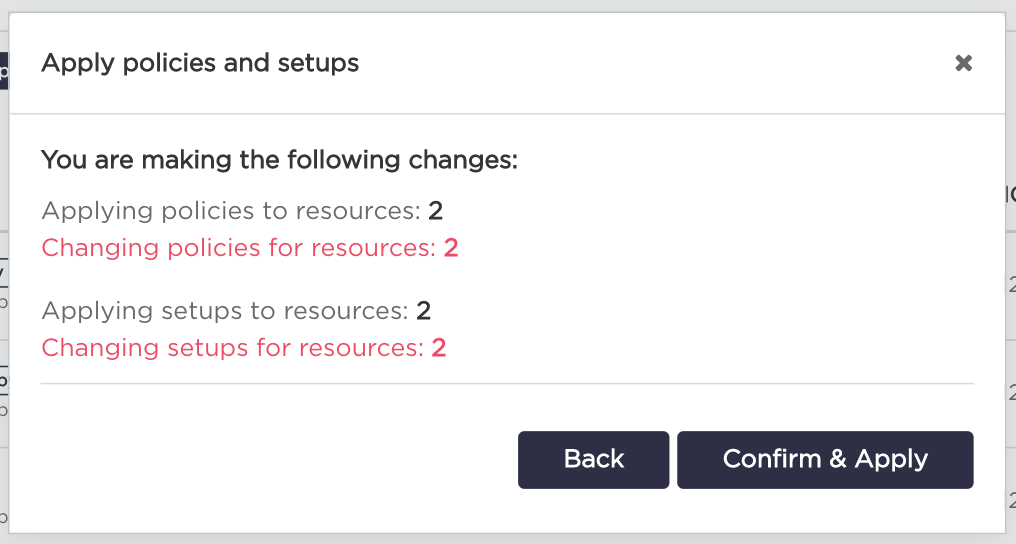
Trigger backup
- Choose "Resources" from the navigation bar.
- Select resources for which you want to trigger backup from "Resources List" by checking the checkbox square on the left side of the resource.
- Click "Trigger backup" button under "Resources List" title.
- Click "Confirm" button. Remember that backup will be triggered only when all selected resources have enabled backup.